

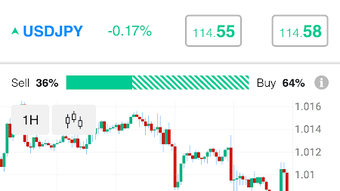
Description
Download 70Trades Mobile Trading APK – Mobile Trading App, Real-Time Data, Demo Trading, Cryptocurrency, Stocks
Overview
70Trades Mobile Trading APK is a free Android application designed for individuals seeking a mobile solution to manage their trading and investment activities. Developed by 70Trades, the app offers a centralized platform for tracking portfolios, executing trades, and analyzing market trends directly from a smartphone or tablet. It is particularly suited for users who require flexibility and real-time access to financial markets while on the move. The app supports multiple asset classes, including stocks and cryptocurrencies, enabling users to diversify their trading strategies across different markets. A notable feature is the inclusion of a demo trading mode, allowing users to practice trading without financial risk. This functionality is especially beneficial for beginners aiming to familiarize themselves with trading mechanics and strategies before engaging with real capital. The application also allows users to access both demo and real accounts through a single login, streamlining the user experience. While the developer did not provide additional details about the company’s background or technical infrastructure, the app is positioned as a user-friendly tool for both novice and experienced traders. It is available for download on the Google Play Store, making it accessible to a broad audience of mobile users interested in financial trading tools.
Key Features & Capabilities
- Real-Time Market Data: Access up-to-the-minute price updates and market movements, enabling timely trading decisions based on current information.
- Demo Trading Mode: Practice trading with virtual funds, allowing users to test strategies and gain experience without financial risk.
- Multi-Account Access: Log in once to manage both demo and real trading accounts simultaneously, simplifying workflow and reducing friction.
- Asset Diversity: Trade a range of financial instruments, including stocks and cryptocurrencies, all within a single interface.
- Custom Alerts & Notifications: Set personalized alerts to monitor price changes, volume spikes, or other market events relevant to your trading strategy.
- Intuitive User Interface: A clean, modern design that prioritizes usability and accessibility across different user skill levels.
- Multi-Language Support: The app is available in multiple languages, enhancing accessibility for international users.
These capabilities make 70Trades a practical tool for users who want to stay informed and responsive in dynamic financial markets. The demo mode serves as an educational resource, helping users build confidence before committing real funds. The ability to switch between demo and real accounts without re-authentication improves efficiency. Real-time alerts ensure users never miss critical market shifts, while the multi-language interface supports global adoption. The application is designed to be used on the go, fitting seamlessly into daily routines for active traders. The combination of analytical tools and intuitive navigation aims to reduce the learning curve for new users while still offering depth for experienced traders.
User Interface, Workflow & Performance
The user interface of 70Trades Mobile Trading APK is described as clean and modern, emphasizing clarity and ease of access to core functions. Navigation appears to be structured around a central dashboard that provides an immediate overview of portfolios, open positions, and recent activity. Key actions such as placing trades, checking account balances, and accessing market data are likely organized through intuitive menus or swipe gestures. The workflow is designed to minimize steps between decision and execution, supporting fast-paced trading environments. While specific performance metrics such as CPU usage, memory consumption, or loading times were not provided, the app is expected to operate smoothly on modern Android devices given its mobile-first design. Stability and responsiveness are likely prioritized, as they are essential for real-time trading applications. The developer did not specify resource usage details, so actual performance may vary based on device capabilities and network conditions. However, the emphasis on a user-friendly interface suggests a focus on minimizing user friction. Overall, the app appears to be optimized for mobile use, with a workflow that supports quick access to critical functions, making it suitable for traders who rely on speed and accuracy.
Compatibility & System Requirements
70Trades Mobile Trading APK is designed for Android devices and is available for free download via the Google Play Store. The application supports the Android operating system, though specific version requirements were not listed by the developer. Installation size is not specified, so users should ensure adequate storage space is available on their device. The developer did not provide additional system requirements, including minimum RAM, processor specifications, or GPU compatibility. Compatibility information is limited to the platform (Android) and the availability through the official app store. Users are advised to check their device’s compatibility with the latest Android version to ensure optimal functionality. The absence of detailed technical specifications means that performance and stability may depend on individual device configurations. For users seeking to install the APK directly from third-party sources, caution is recommended to avoid potential security risks. The app’s availability on the Google Play Store suggests it meets basic security and compliance standards, but users should still exercise care when downloading.
Pros and Cons
Pros
- Free to download and use with no upfront cost
- Includes a demo trading mode for risk-free practice
- Supports both real and demo accounts with a single login
- Offers real-time market data and customizable alerts
- Intuitive, modern interface designed for ease of use
- Available in multiple languages for global accessibility
- Supports diverse asset classes including stocks and cryptocurrencies
Cons
- Exact system requirements were not specified by the developer
- Performance details such as CPU or RAM usage were not provided
- Only available for Android devices; no support for iOS or desktop platforms
- Third-party APK downloads may pose security risks
- No information on update frequency or long-term support
FAQ Section
Is 70Trades Mobile Trading APK available for iOS devices?
As of now, the app is only available for Android devices through the Google Play Store. There is no official iOS version provided by the developer.
Can I use both a demo and a real account simultaneously?
Yes, the app allows users to access both a demo and a real trading account through a single login, enabling seamless switching between the two environments.
Is the app safe to download and use?
The app is available on the Google Play Store, which provides a layer of security and verification. However, users should only download from official sources to avoid potential risks associated with third-party APKs.
Does the app require a paid subscription?
No, 70Trades Mobile Trading APK is free to download and use. There is no mention of subscription fees in the provided information.
Can I customize trading alerts and notifications?
Yes, users can set up custom alerts and notifications to stay informed about market movements, price changes, or specific trading conditions relevant to their strategy.
Final Thoughts
70Trades Mobile Trading APK presents a compelling option for Android users seeking a mobile-first approach to trading. Its combination of real-time data, a risk-free demo environment, and multi-account access makes it a versatile tool for both beginners and seasoned traders. The clean interface and multi-language support enhance usability, while the ability to trade stocks and cryptocurrencies from one platform adds significant value. Although detailed system requirements and performance data are not available, the app’s design and functionality suggest a focus on reliability and user experience. For individuals who prioritize mobility, accessibility, and a low barrier to entry, 70Trades offers a practical solution. The inclusion of educational features like demo trading strengthens its appeal as a learning and trading platform. While platform limitations exist—such as the lack of iOS support—its strengths outweigh the constraints for Android users. Download 70Trades now and take control of your trading journey with confidence.
Guides & Tutorials for 70Trades Mobile Trading APK
How to install 70Trades Mobile Trading APK
- Click the Preview / Download button above.
- Once redirected, accept the terms and click Install.
- Wait for the 70Trades Mobile Trading APK download to finish on your device.
How to use 70Trades Mobile Trading APK
This software is primarily used for its core features described above. Open the app after installation to explore its capabilities.
User Reviews for 70Trades Mobile Trading APK 0
No reviews found





